Media Automation

Download Image to Google Drive

A lightweight automation workflow that downloads images via URL and uploads them to a specific Google Drive folder.
n8n HTTP Request Google Drive API Binary Data

Context & Problem

Business Case

A business needed a simple but reliable way to take an image URL, download the file, and store it in a specific Google Drive folder. The manual process of copying, downloading, renaming, and uploading was time-consuming and prone to errors.

The Challenge: Manual file transfer creates risks of wrong file names, repetitive tasks waste time, and there was no automation available for batch scenarios.

Goal: Build a lightweight automation that accepts an image URL, downloads it as binary, uploads it to a specific Google Drive folder, and returns confirmation with file ID.

Implementation

Architecture & Logic

The workflow is built in n8n using the HTTP Request node in binary mode and the Google Drive API. It dynamically extracts filenames from URLs or uses provided names, ensuring correct binary handling throughout the process.
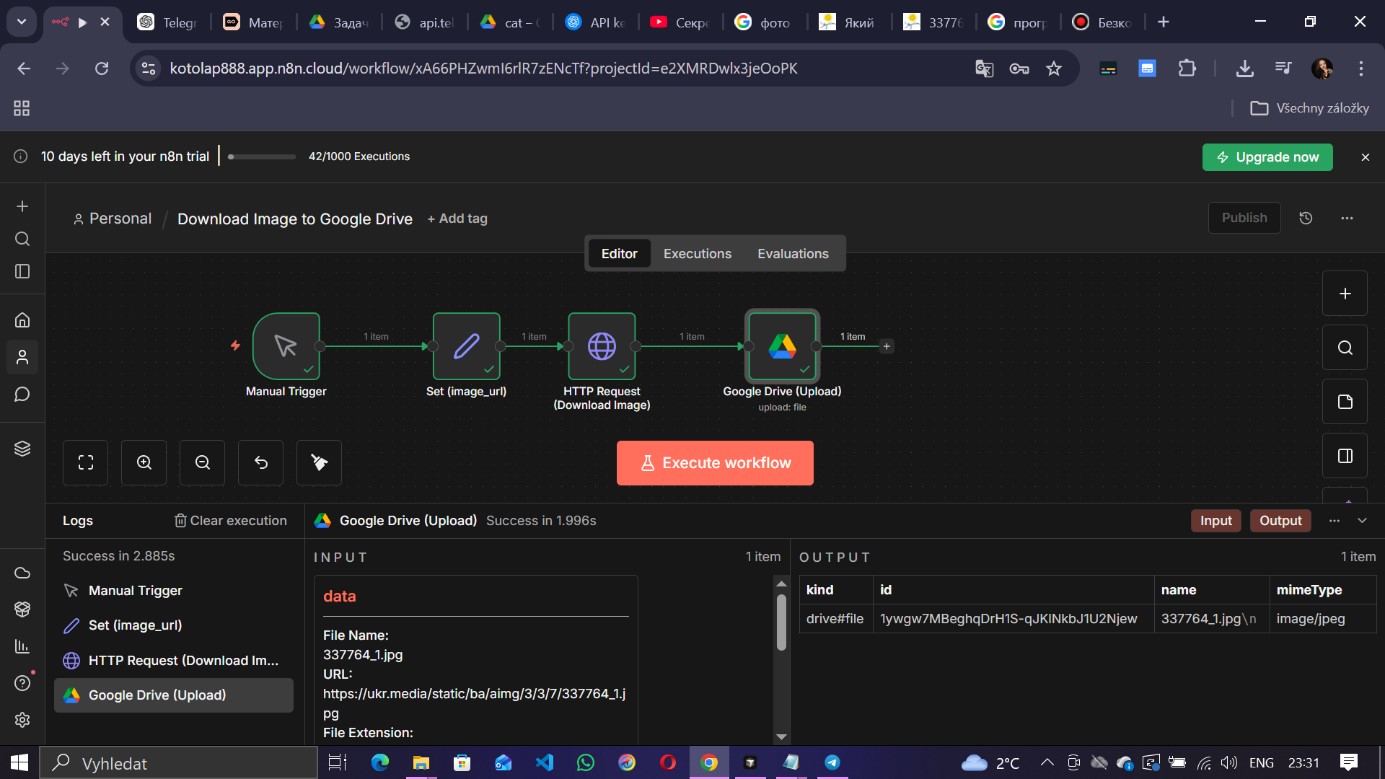
Workflow: URL Download to Google Drive
Fig 1. n8n Workflow for binary file transfer
Expression / Dynamic Filename
// Filename logic in Google Drive Node
// If specific filename provided -> use it
// Else -> extract name from URL

={{ $json.filename ? 
     $json.filename : 
     $json.image_url.split('?')[0].split('/').pop() 
}}

// This ensures clean filenames even if URL
// contains query parameters like ?size=large
Output & Results

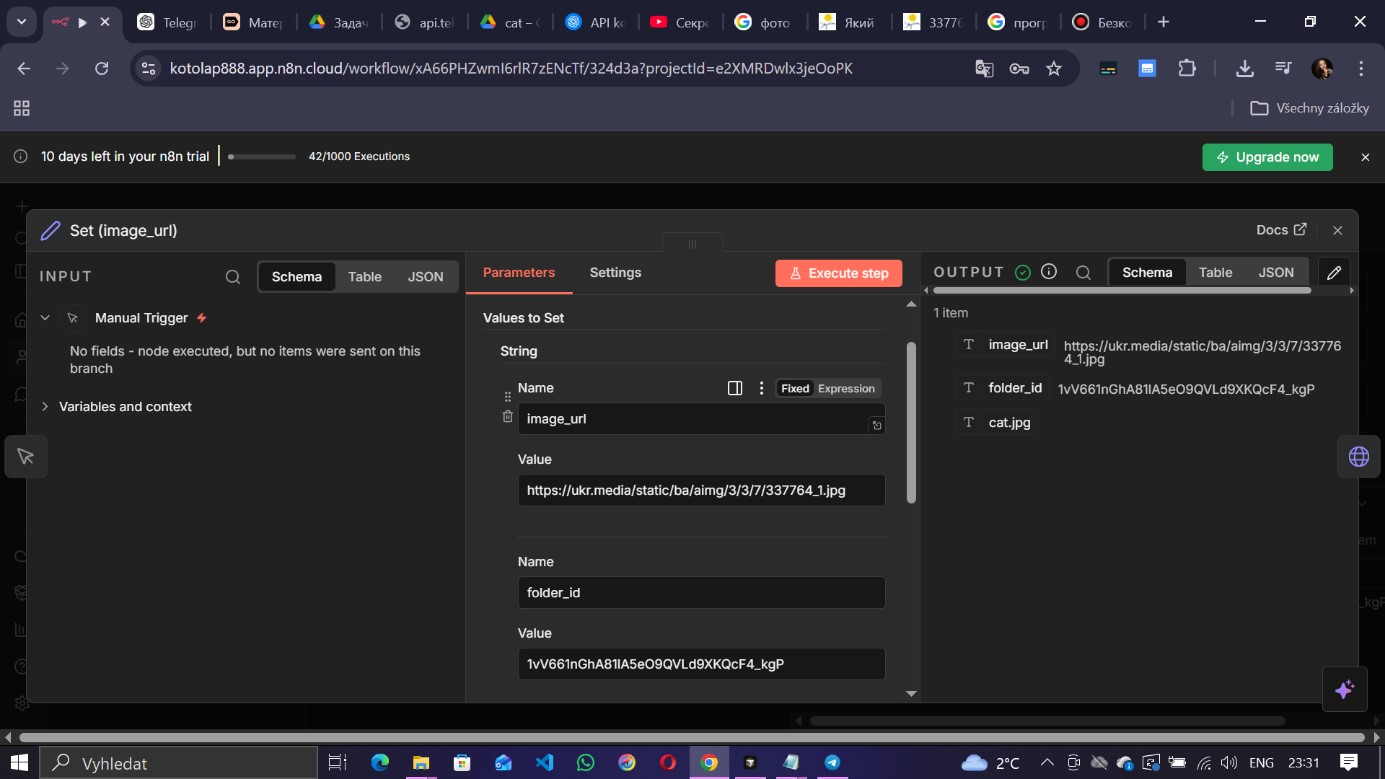
Execution Confirmation
Output JSON showing file ID and metadata
Fig 2. Successful upload confirmation with file metadata
Quantitative
  • 100% automated transfer
  • Instant execution
  • Zero manual errors
Qualitative
  • Correct binary handling
  • Reusable pattern
  • Scalable to batches
Business Impact
  • Eliminates repetitive work
  • Scalable content ingestion
  • Foundation for media pipelines

Export Workflow

Download the ready-to-use n8n workflow JSON file. Import it directly into your n8n instance.