AI Scheduling Assistant

Telegram → Google Calendar

Automated event creation workflow that extracts details from messages and syncs to calendar instantly.
n8n OpenAI Google API Telegram Bot

Context & Problem

Business Case

A freelancer managed meetings manually. Clients sent details via Telegram in free-text format, leading to manual entry, confusion with time formats, and the risk of forgetting to create events.

The Challenge: Manual scheduling wasted time and introduced human errors. There was no validation layer for dates, and response speed was low.

Goal: Build a reliable AI-driven automation that extracts event details, validates them, and creates Google Calendar events automatically with confirmation.

Implementation

Architecture & Logic

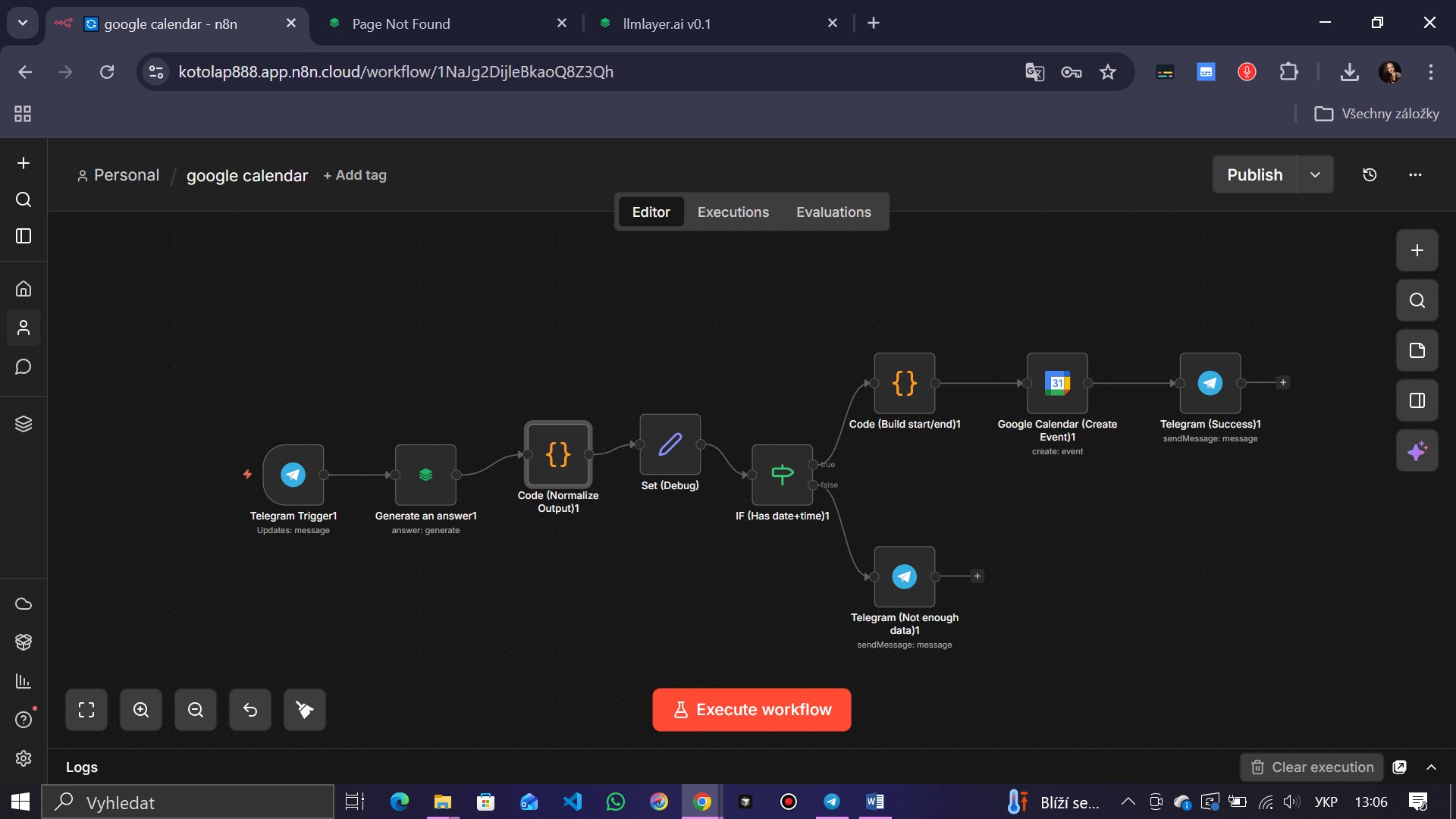
A structured AI automation built using n8n, OpenAI GPT, and Google Calendar API. The workflow analyzes user text, extracts structured JSON data (Title, Date, Time), validates the input, and executes the API call.
Workflow: Telegram Trigger to LLM Analysis
Fig 1. n8n Workflow with AI extraction logic
Prompt Structure (Simplified)
// AI Instruction:
Extract event details from the user message.
Return ONLY valid JSON.

Schema:
{
  "title": "string (Event name)",
  "date": "YYYY-MM-DD",
  "time": "HH:mm",
  "valid": "boolean"
}

// Logic:
If "valid" is true -> Create Event.
If "valid" is false -> Ask user for clarification.
Output & Results

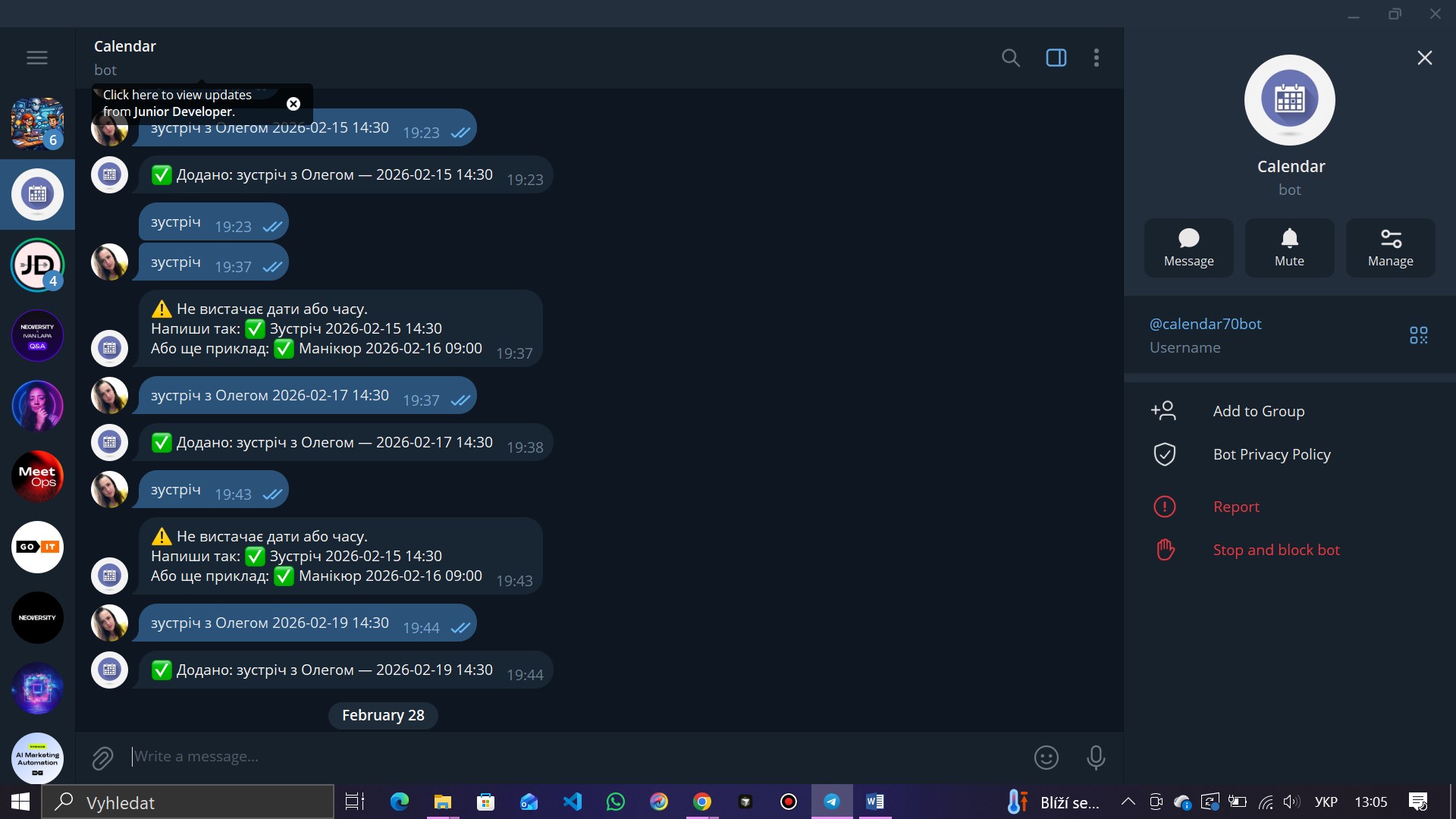
Real Interaction
Telegram Conversation: Event Confirmation
Fig 2. Real Telegram confirmation after event creation
Quantitative
  • 100% automated creation
  • Instant execution time
  • Zero manual errors
Qualitative
  • Structured validation logic
  • Clear user feedback
  • Reliable workflow stability
Business Impact
  • Saves time daily
  • Prevents missed meetings
  • Scalable to teams

Export Workflow

Download the ready-to-use n8n workflow JSON file. Import it directly into your n8n instance.